DeepSeek v4 won't run? 99% of people get stuck at the distribution stage
Recently, DeepSeek released DeepSeek v4, and many teams rushed to integrate it.
But if you're operating in an enterprise environment, especially air-gapped or private deployments, you'll quickly realize one thing:
The model is not the biggest problem. Distribution is.
During our attempt to deploy DeepSeek v4 in an internal network, we ran into a lot of issues. In the end, they can all be boiled down to three fundamental problems.
1. You think it's a download problem, but it's actually an architecture problem
Hugging Face doesn't work well in enterprise environments
- Unstable or completely unavailable network
- Slow downloads and large-file interruptions
- Lack of access control
It looks like a slow-download issue, but in reality:
Hugging Face is built for research collaboration, not controlled enterprise distribution.
2. You try to fix it yourself, but make it worse
Common workarounds all break down
- Manual file transfer leads to version chaos and no auditability
- NFS and NAS hit IO bottlenecks and still have no caching
- Each node downloading independently exhausts bandwidth and slows cold starts
Especially in vLLM and SGLang scenarios:
Every node downloading the same model multiplies bandwidth pressure by N.
3. The real problem is actually just one thing
All these issues can be summarized in one sentence:
You're missing a model distribution infrastructure layer, like a container registry for model artifacts.
Just like you wouldn't use Docker Hub directly in production, you'd use a private registry instead. But in the model world, this layer has been missing for a long time.
4. Our solution
Core idea
Public Model Source (Hugging Face)
        ↓
Proxy / Caching Layer
        ↓
Unified Internal Distribution
        ↓
vLLM / Inference Services
This follows a pattern that has already been proven elsewhere:
- Docker -> Docker Hub -> Harbor
- Maven -> Central -> Nexus
- PyPI -> pip -> Private Registry
Model distribution is fundamentally the same kind of problem.
Key capabilities
This distribution layer should provide:
- Proxy access to Hugging Face, not a replacement
- Automatic model caching
- Resume support for interrupted transfers
- Access control and permissions
- Internal network distribution
- Compatibility with vLLM and SGLang
5. We built it into a project
MatrixHub is essentially:
An enterprise-grade Hugging Face proxy and model distribution acceleration layer.
It provides:
- A Hugging Face proxy for public-network constraints
- A model cache layer to eliminate repeated downloads
- A unified enterprise access entry for permissions and governance
You can think of it as:
- Harbor for models
- The container registry of the AI era
6. Quick start
Step 1: Start the service
Download docker-compose.yaml and config.yaml, and make sure the two files are in the same folder.
docker compose -f docker-compose.yaml up -d
Default service endpoint:
http://127.0.0.1:3001
Verify:
curl http://127.0.0.1:3001
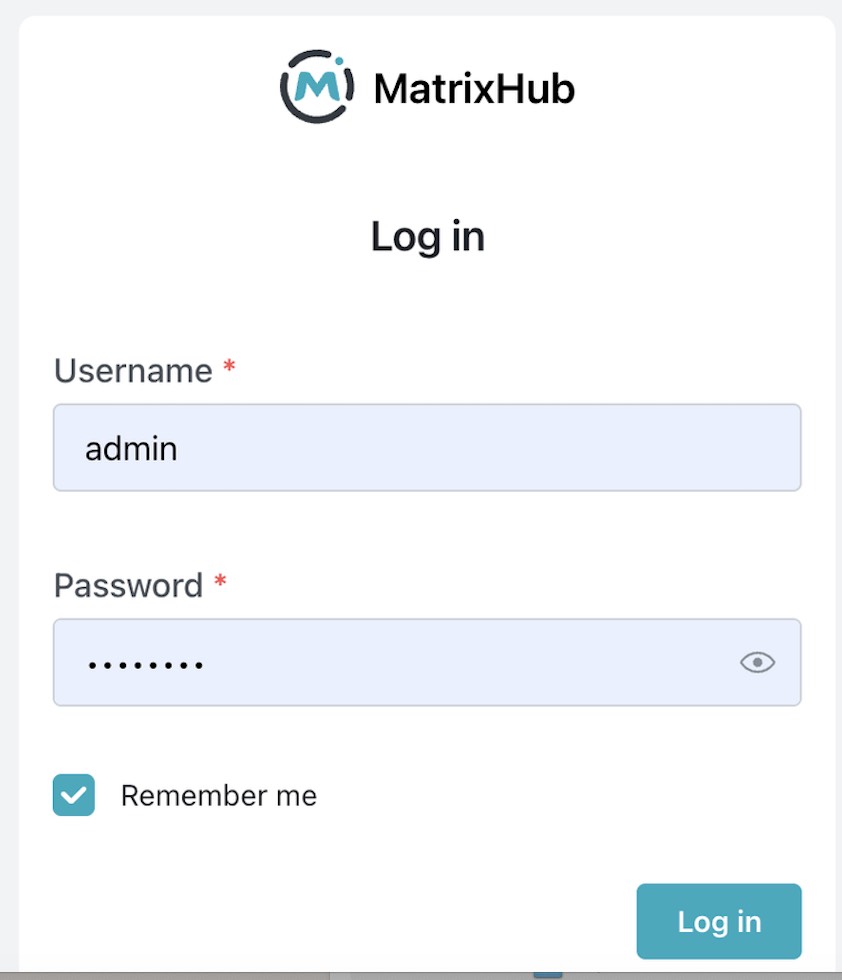
Step 2: Login
- Username:
admin - Password:
changeme
Change the password immediately.
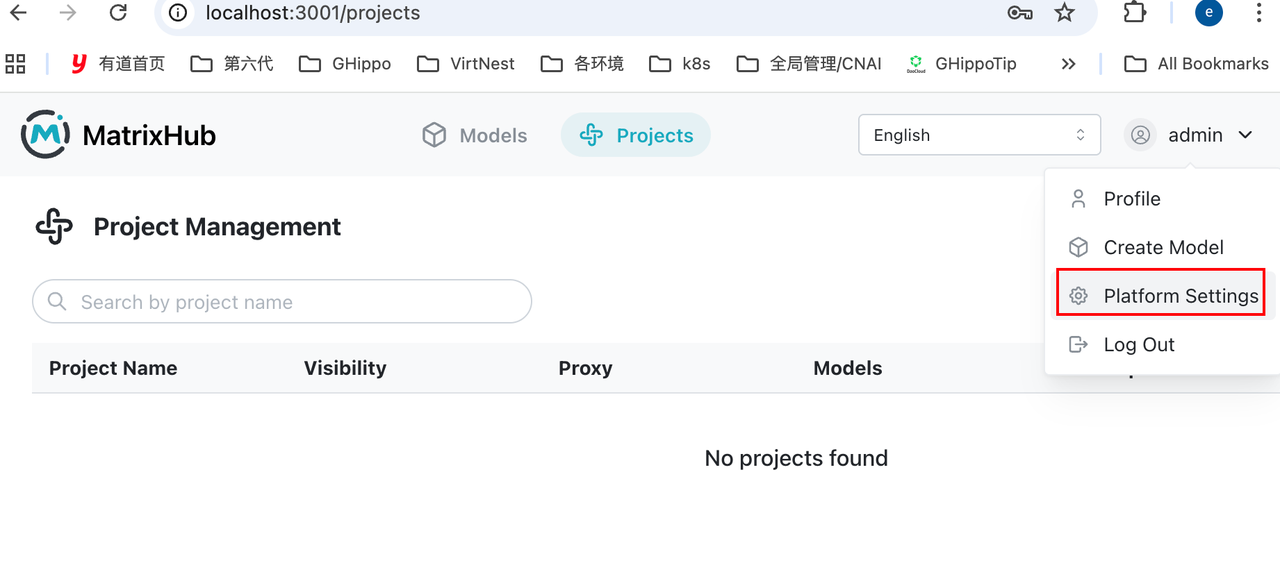
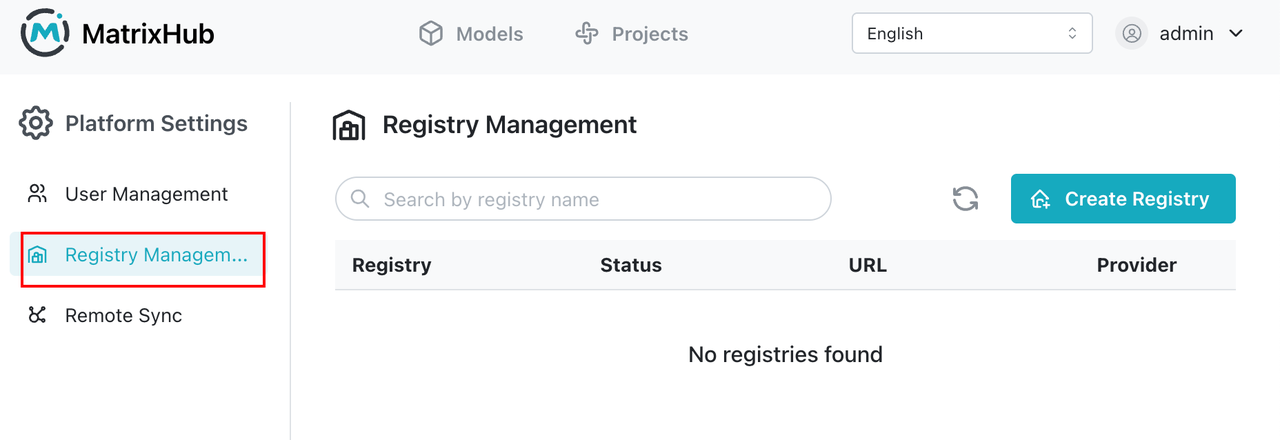
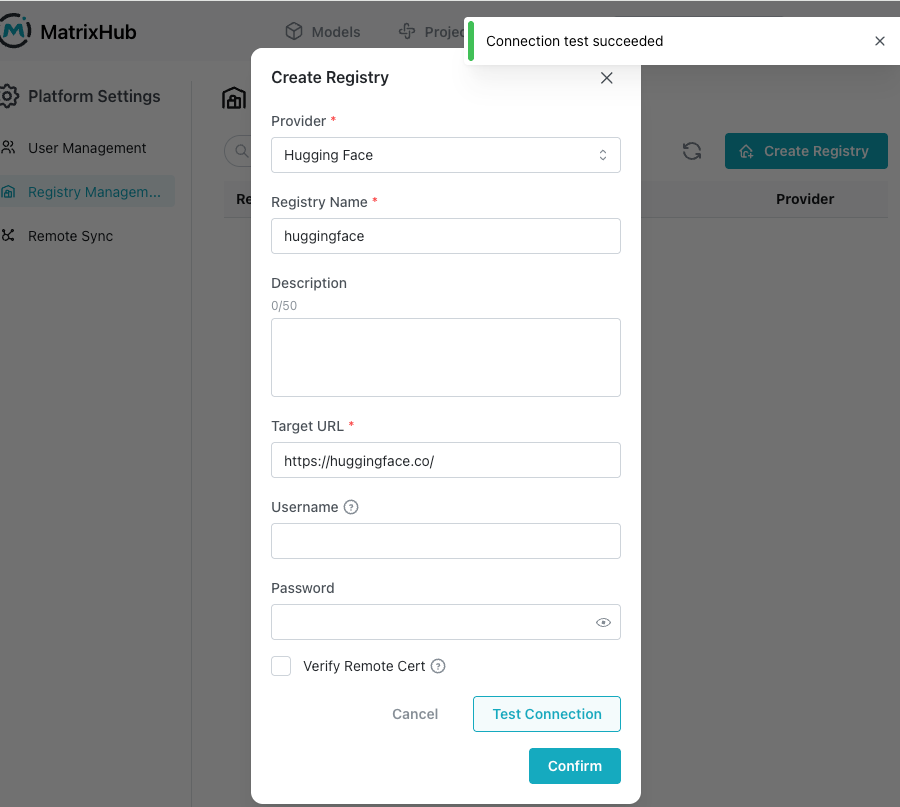
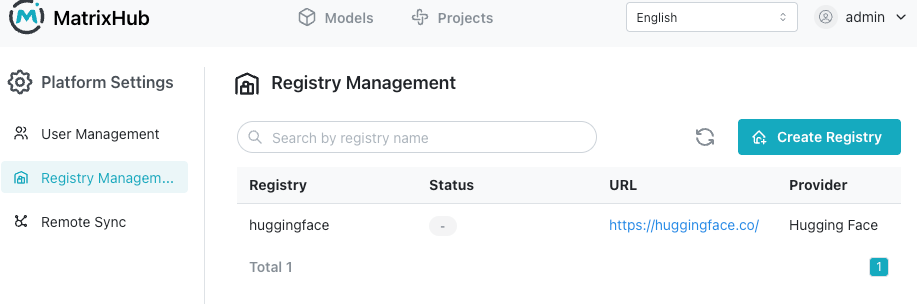
Step 3: Create a remote registry to proxy Hugging Face
Key configuration:
Remote URL: https://hf-mirror.com ( or https://huggingface.co )
Type: HuggingFace
Recommended name: huggingface
How it works:
Request -> MatrixHub -> Hugging Face -> Response
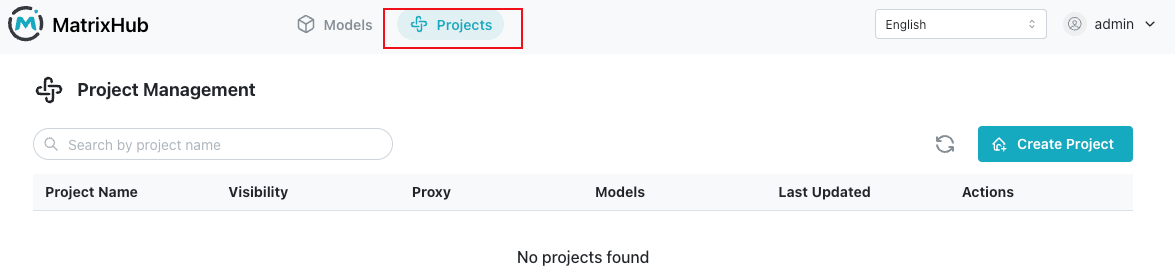
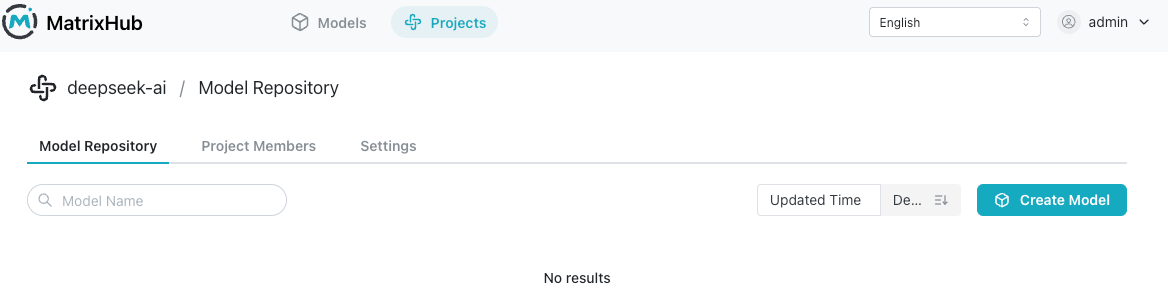
Step 4: Create a proxy project
Purpose:
User -> Proxy Project -> Remote Repo (HF) -> Cache
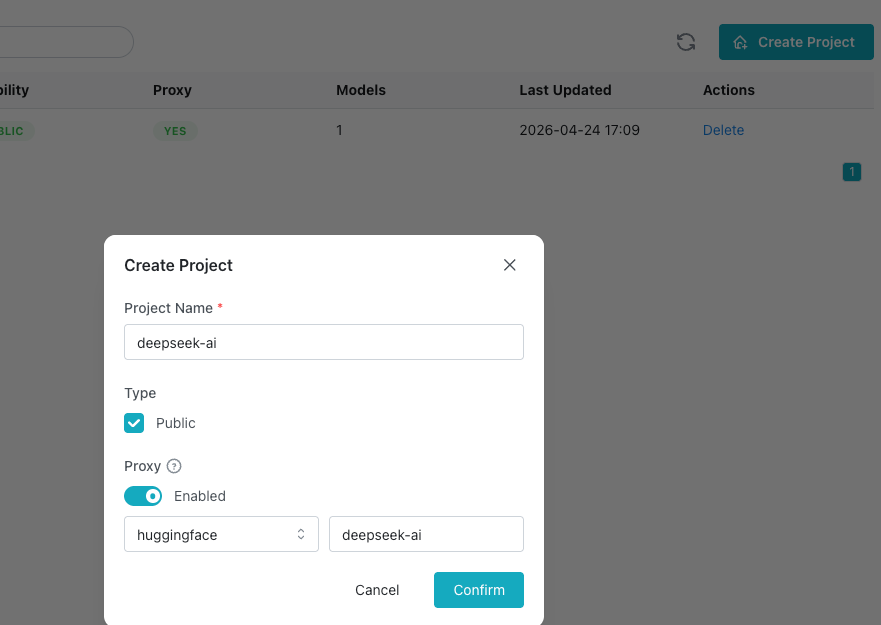
When creating the project:
- Select the
huggingfaceremote registry - Specify the model organization:
deepseek-ai
Step 5: Client integration
export HF_ENDPOINT="http://127.0.0.1:3001"
What this does:
- Redirects client requests
- Lets the first request fetch from Hugging Face
- Automatically caches locally
- Keeps all later requests inside the intranet
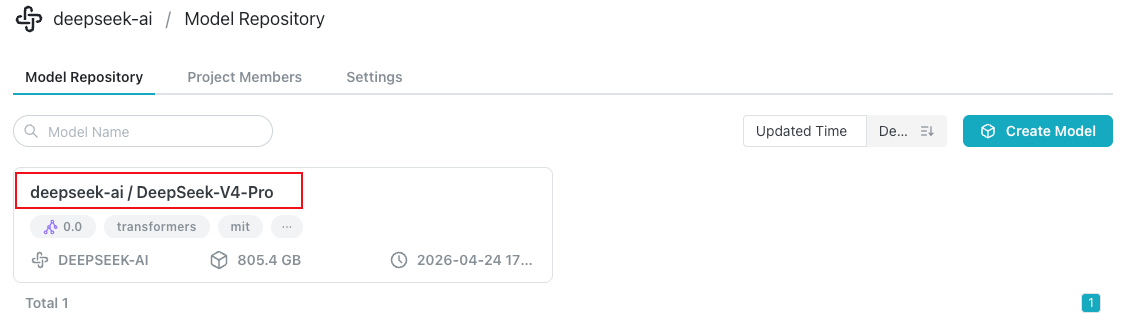
Step 6: Download the model
hf download deepseek-ai/DeepSeek-V4-Pro

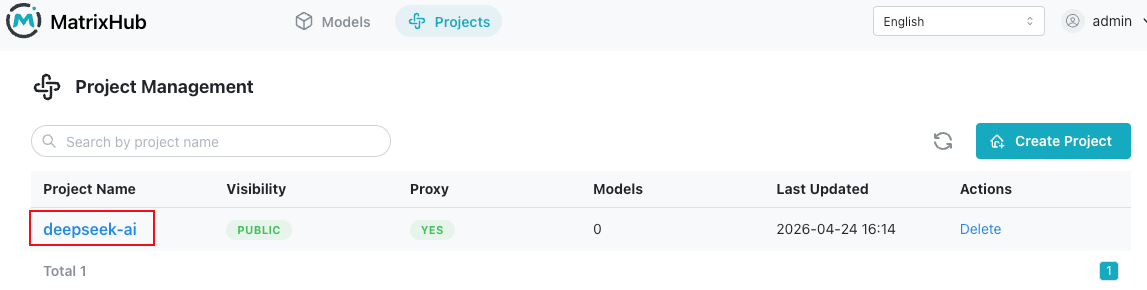
You can see 'DeepSeek-V4-Pro' model under 'deepseek-ai' Project in UI
Verify cache effectiveness
Use curl to observe request behavior.
First request: cache miss
curl -I http://127.0.0.1:3001/deepseek-ai/DeepSeek-V4-Pro/resolve/main/config.json
Characteristics:
- Longer response time
- Contains upstream headers
Second request: cache hit
curl -I http://127.0.0.1:3001/deepseek-ai/DeepSeek-V4-Pro/resolve/main/config.json
Characteristics:
- Very fast response
- No longer hits Hugging Face
Final thoughts
If you're deploying large models in an enterprise environment, you will inevitably face:
- Slow downloads
- Bandwidth exhaustion
- Repeated downloads across nodes
- Lack of access control
These are not edge cases. They are architectural gaps.
MatrixHub simply fills that missing layer.
If you're working on similar problems, feel free to connect: