DeepSeek v4 won't run? 99% of people get stuck at the distribution stage
Recently, DeepSeek released DeepSeek v4, and many teams rushed to integrate it.
But if you're operating in an enterprise environment, especially air-gapped or private deployments, you'll quickly realize one thing:
The model is not the biggest problem. Distribution is.
During our attempt to deploy DeepSeek v4 in an internal network, we ran into a lot of issues. In the end, they can all be boiled down to three fundamental problems.
1. You think it's a download problem, but it's actually an architecture problem
Hugging Face doesn't work well in enterprise environments
- Unstable or completely unavailable network
- Slow downloads and large-file interruptions
- Lack of access control
It looks like a slow-download issue, but in reality:
Hugging Face is built for research collaboration, not controlled enterprise distribution.
2. You try to fix it yourself, but make it worse
Common workarounds all break down
- Manual file transfer leads to version chaos and no auditability
- NFS and NAS hit IO bottlenecks and still have no caching
- Each node downloading independently exhausts bandwidth and slows cold starts
Especially in vLLM and SGLang scenarios:
Every node downloading the same model multiplies bandwidth pressure by N.
3. The real problem is actually just one thing
All these issues can be summarized in one sentence:
You're missing a model distribution infrastructure layer, like a container registry for model artifacts.
Just like you wouldn't use Docker Hub directly in production, you'd use a private registry instead. But in the model world, this layer has been missing for a long time.
4. Our solution
Core idea
Public Model Source (Hugging Face)
        ↓
Proxy / Caching Layer
        ↓
Unified Internal Distribution
        ↓
vLLM / Inference Services
This follows a pattern that has already been proven elsewhere:
- Docker -> Docker Hub -> Harbor
- Maven -> Central -> Nexus
- PyPI -> pip -> Private Registry
Model distribution is fundamentally the same kind of problem.
Key capabilities
This distribution layer should provide:
- Proxy access to Hugging Face, not a replacement
- Automatic model caching
- Resume support for interrupted transfers
- Access control and permissions
- Internal network distribution
- Compatibility with vLLM and SGLang
5. We built it into a project
MatrixHub is essentially:
An enterprise-grade Hugging Face proxy and model distribution acceleration layer.
It provides:
- A Hugging Face proxy for public-network constraints
- A model cache layer to eliminate repeated downloads
- A unified enterprise access entry for permissions and governance
You can think of it as:
- Harbor for models
- The container registry of the AI era
6. Quick start
Step 1: Start the service
Download docker-compose.yaml and config.yaml, and make sure the two files are in the same folder.
docker compose -f docker-compose.yaml up -d
Default service endpoint:
http://127.0.0.1:3001
Verify:
curl http://127.0.0.1:3001
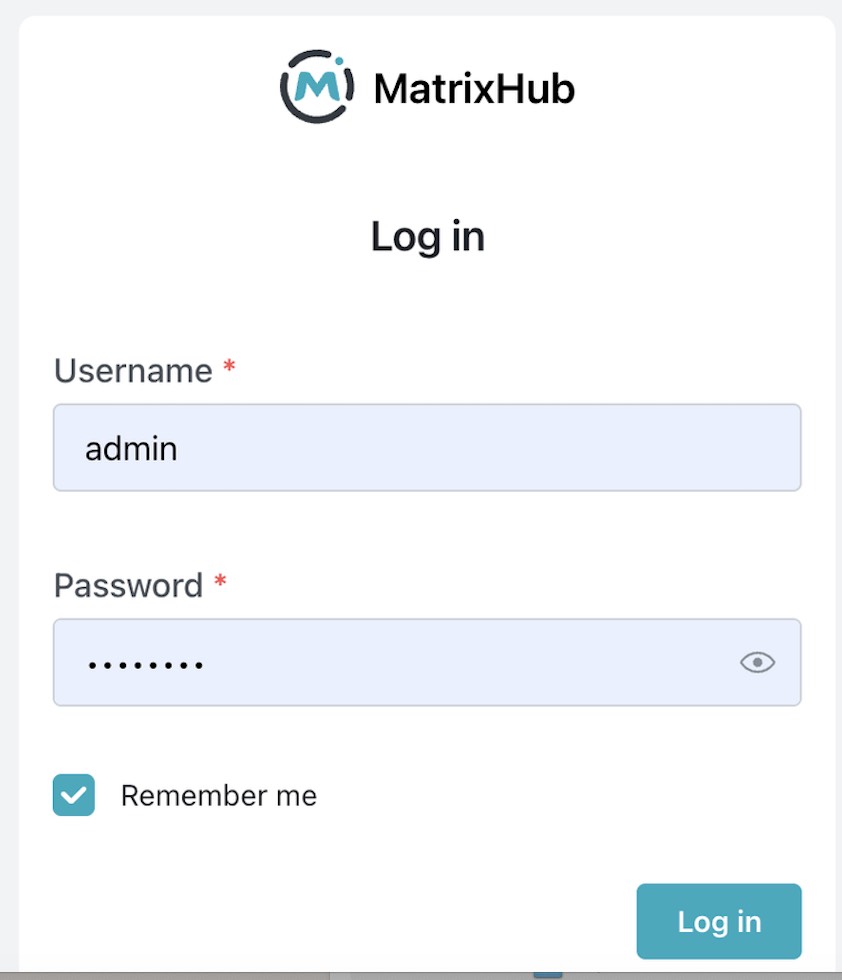
Step 2: Login
- Username:
admin - Password:
changeme
Change the password immediately.
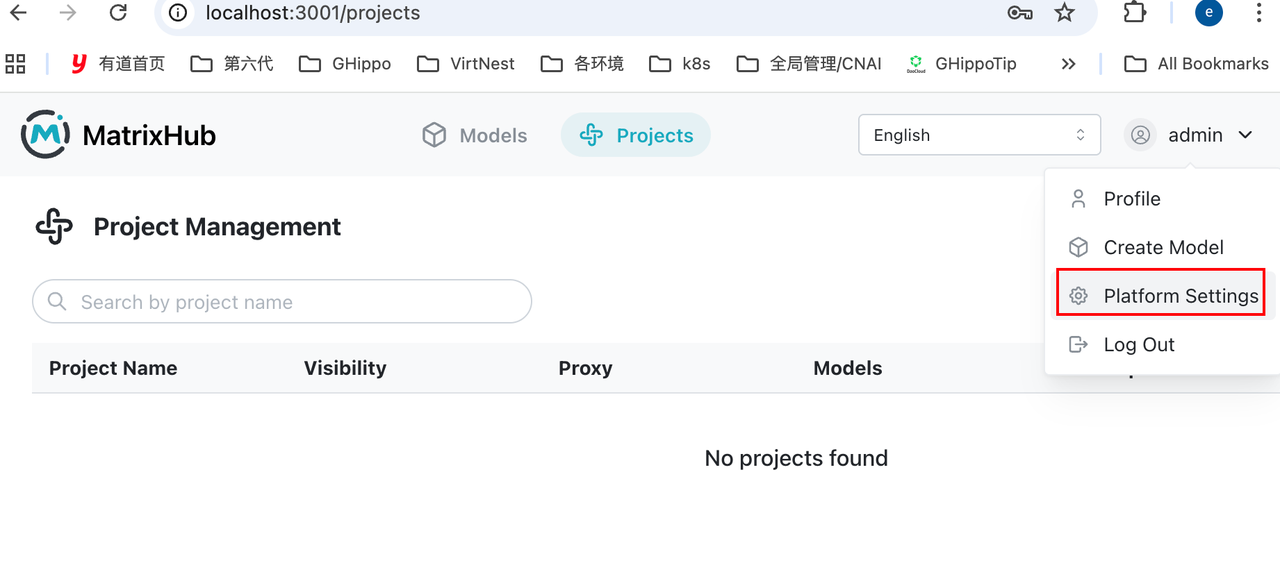
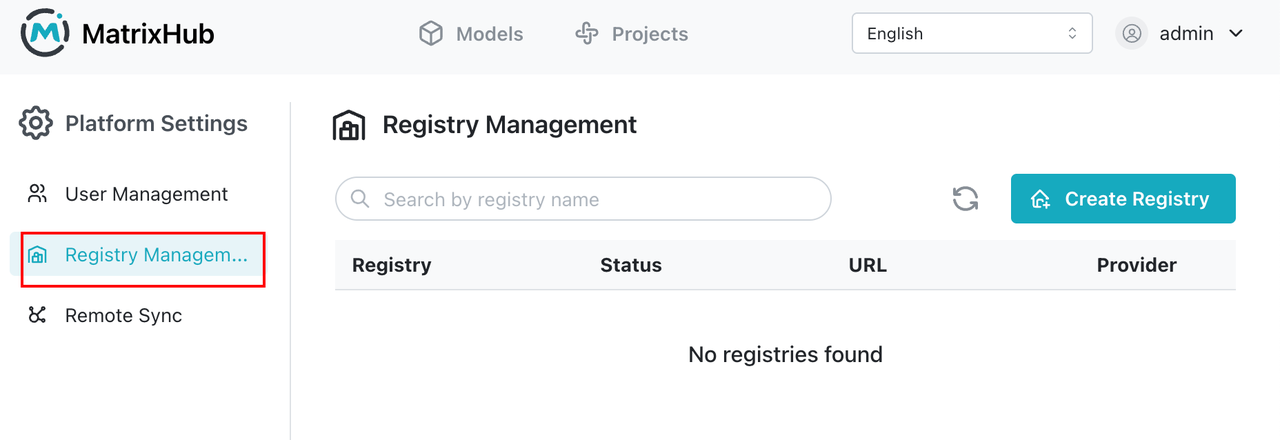
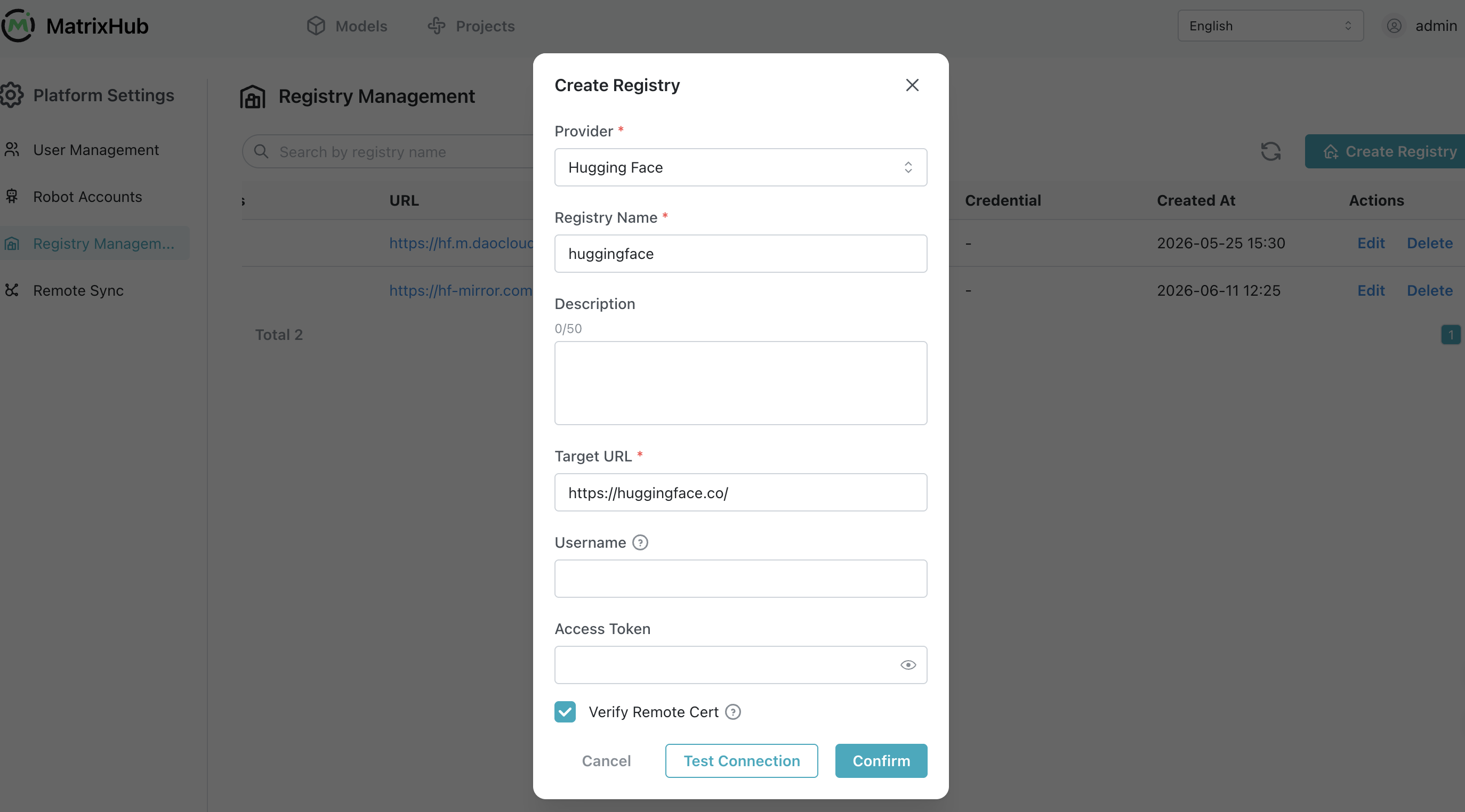
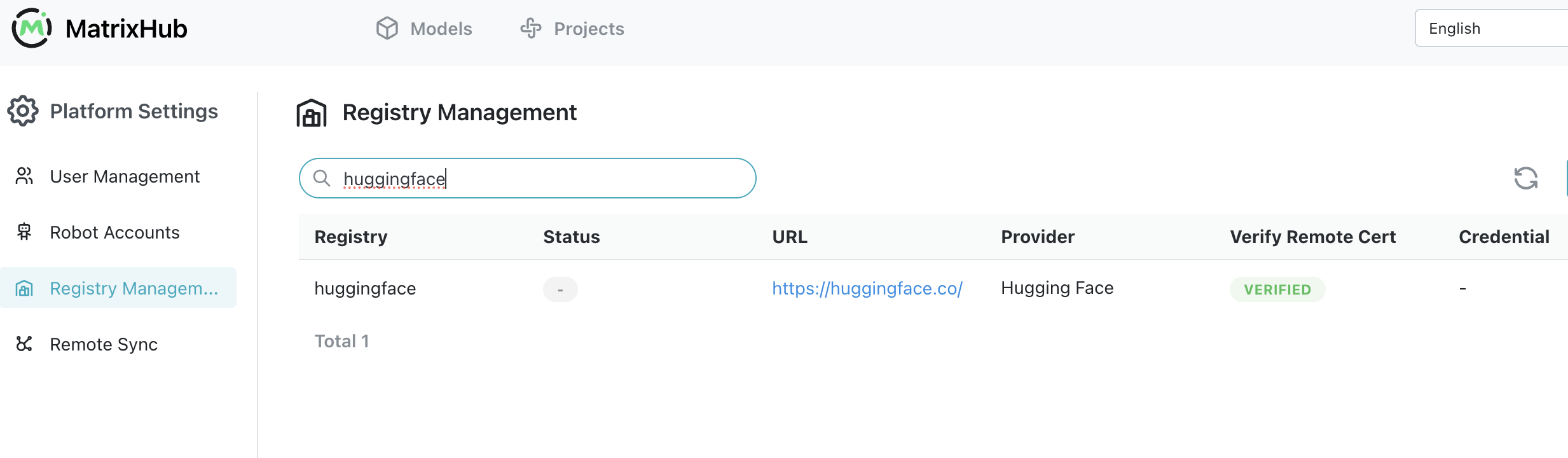
Step 3: Create a remote registry to proxy Hugging Face
Key configuration:
Remote URL: https://hf-mirror.com ( or https://huggingface.co )
Type: HuggingFace
Recommended name: huggingface
How it works:
Request -> MatrixHub -> Hugging Face -> Response
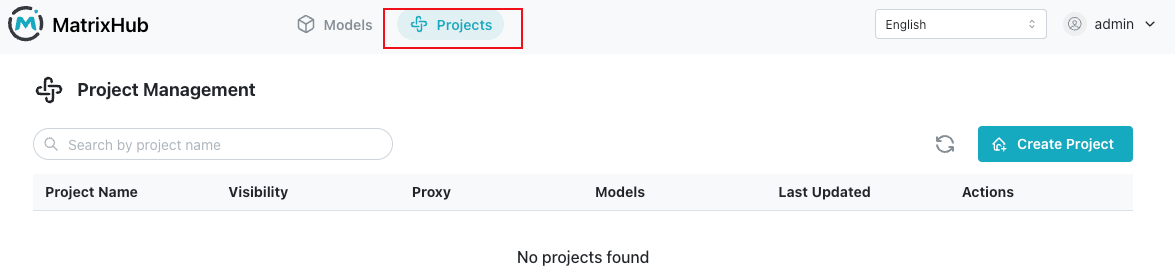
Step 4: Create a proxy project
Purpose:
User -> Proxy Project -> Remote Repo (HF) -> Cache
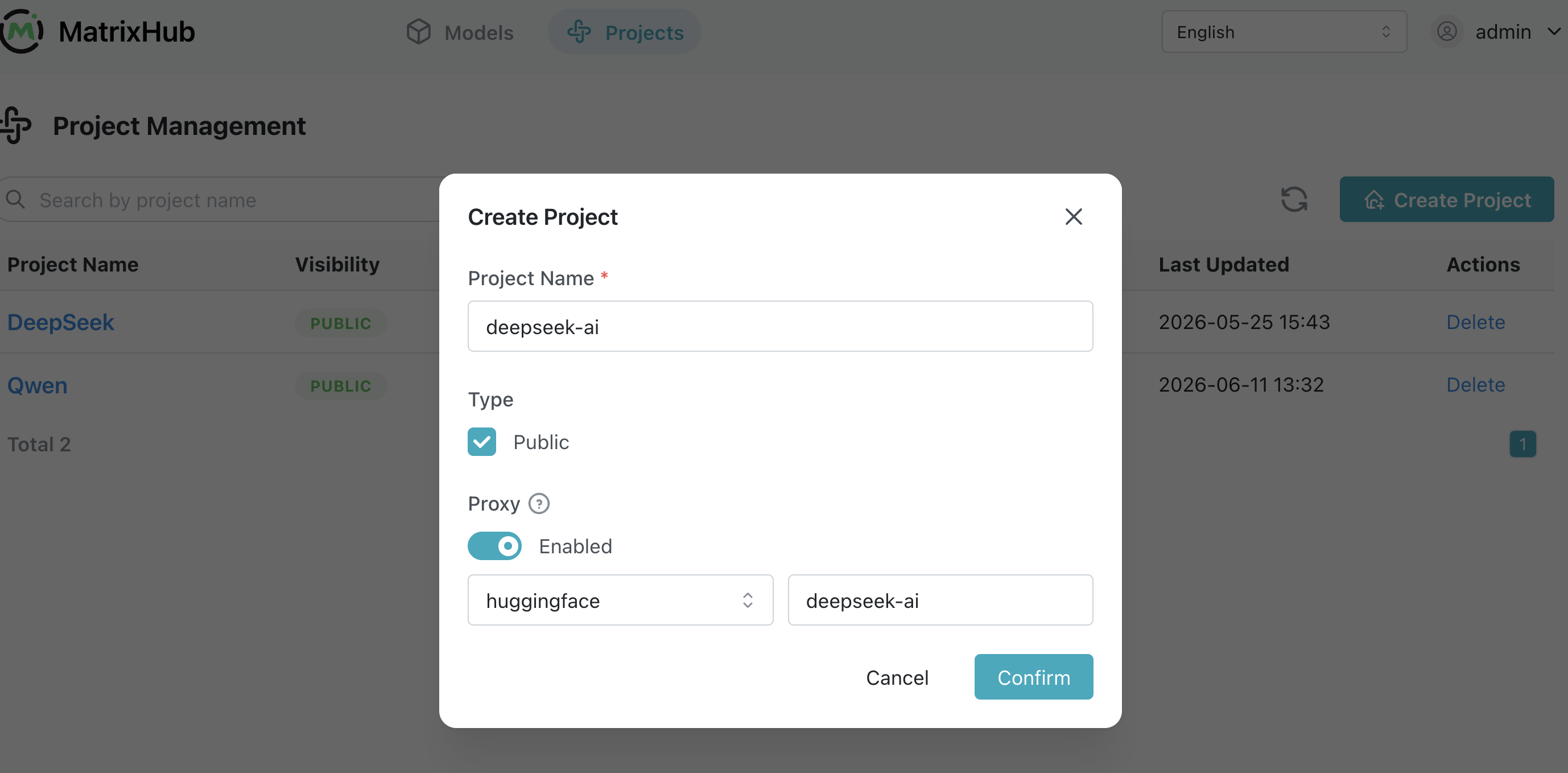
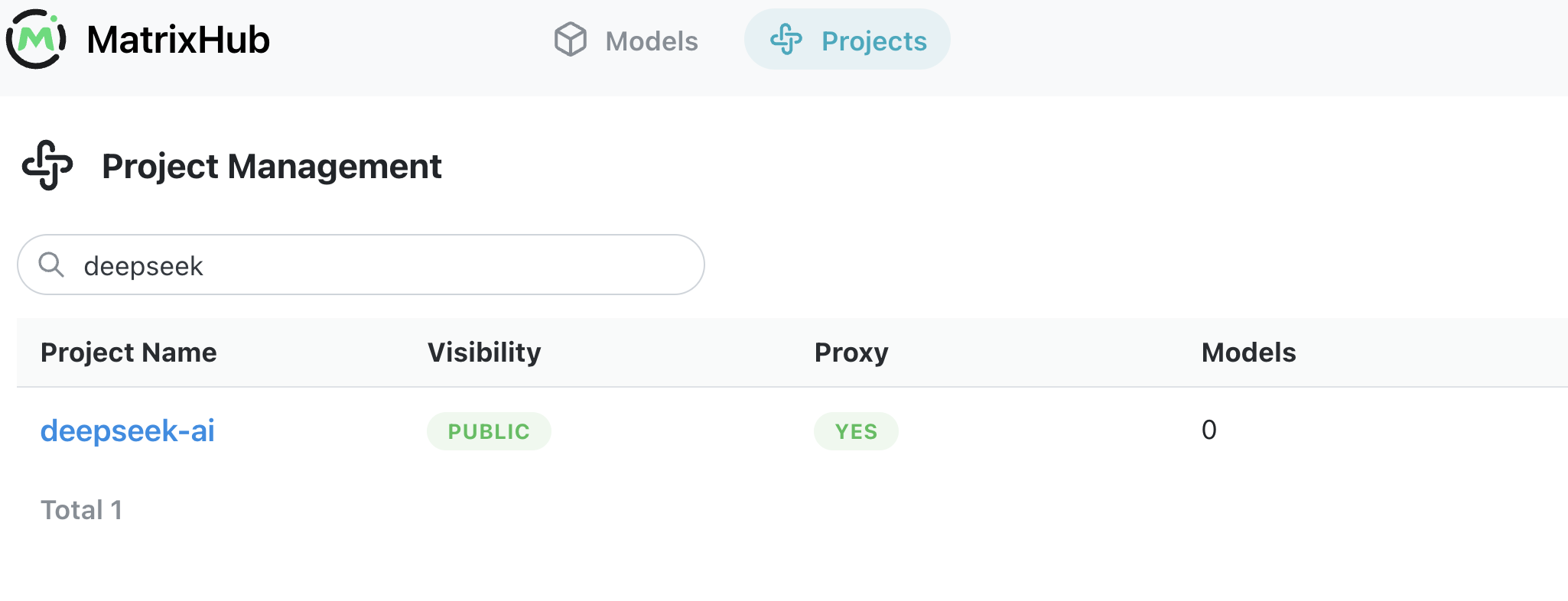
When creating the project:
- Select the
huggingfaceremote registry - Specify the model organization:
deepseek-ai
Step 5: Client integration
export HF_ENDPOINT="http://127.0.0.1:3001"

What this does:
- Redirects client requests
- Lets the first request fetch from Hugging Face
- Automatically caches locally
- Keeps all later requests inside the intranet
Step 6: Download the model
6.1 Start the download
hf download deepseek-ai/DeepSeek-V4-Pro
6.2 First node: populate the cache
In our test environment, the first download took 6 hours and 56 minutes. This initial request fetched the model from the upstream Hugging Face source and populated the MatrixHub cache. Replace http://x.x.x.x:3001 with your actual MatrixHub service address.
root@node1:/data/matrixhub# export HF_ENDPOINT="http://x.x.x.x:3001"
root@node1:/data/matrixhub# export HF_HUB_DOWNLOAD_TIMEOUT=120
root@node1:/data/matrixhub# nohup time -p hf download deepseek-ai/DeepSeek-V4-Pro --local-dir /data/matrixhub/deepseek-v4

6.3 Second node: reuse the cached model
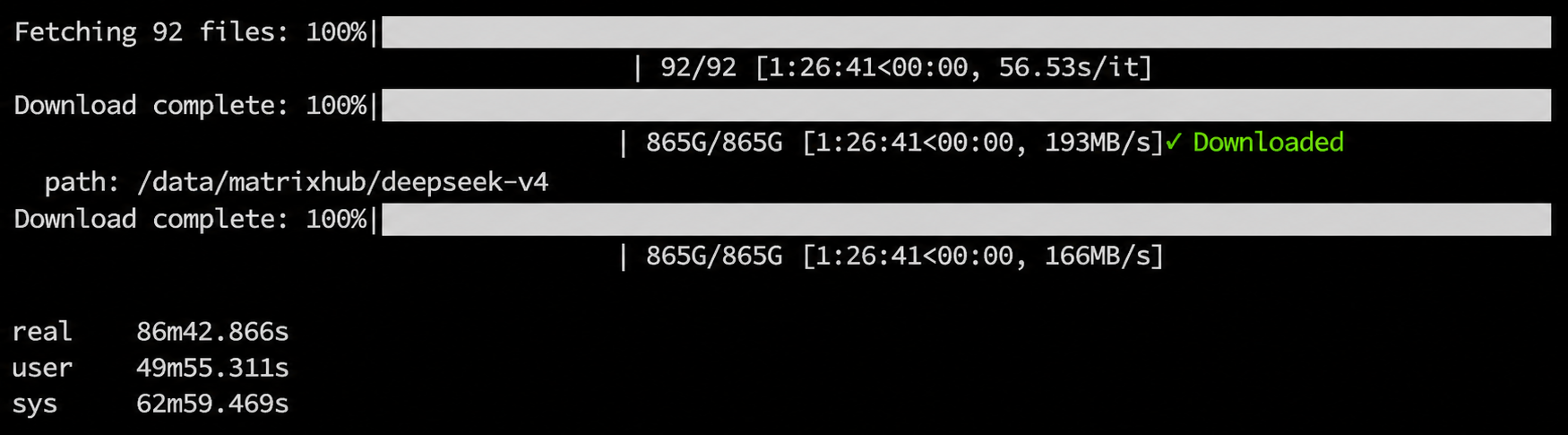
The second download, from another node in the same internal network, completed in 86 minutes because the model files were already cached by MatrixHub.
root@node2:/data/matrixhub# export HF_ENDPOINT="http://x.x.x.x:3001"
root@node2:/data/matrixhub# export HF_HUB_DOWNLOAD_TIMEOUT=120
root@node2:/data/matrixhub# time hf download deepseek-ai/DeepSeek-V4-Pro --local-dir /data/matrixhub/deepseek-v4
6.4 Verify the model in the UI
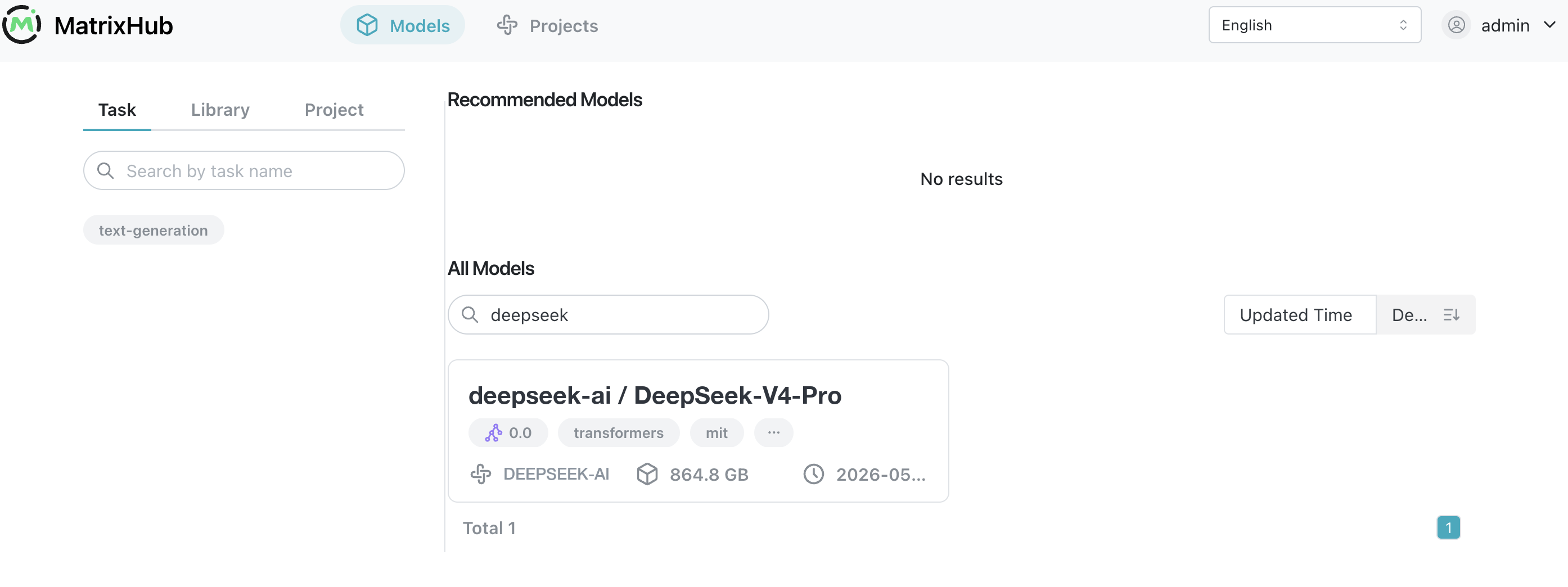
After the download finishes, you can see the DeepSeek-V4-Pro model under the deepseek-ai project in the UI.
6.5 Inspect cached model files
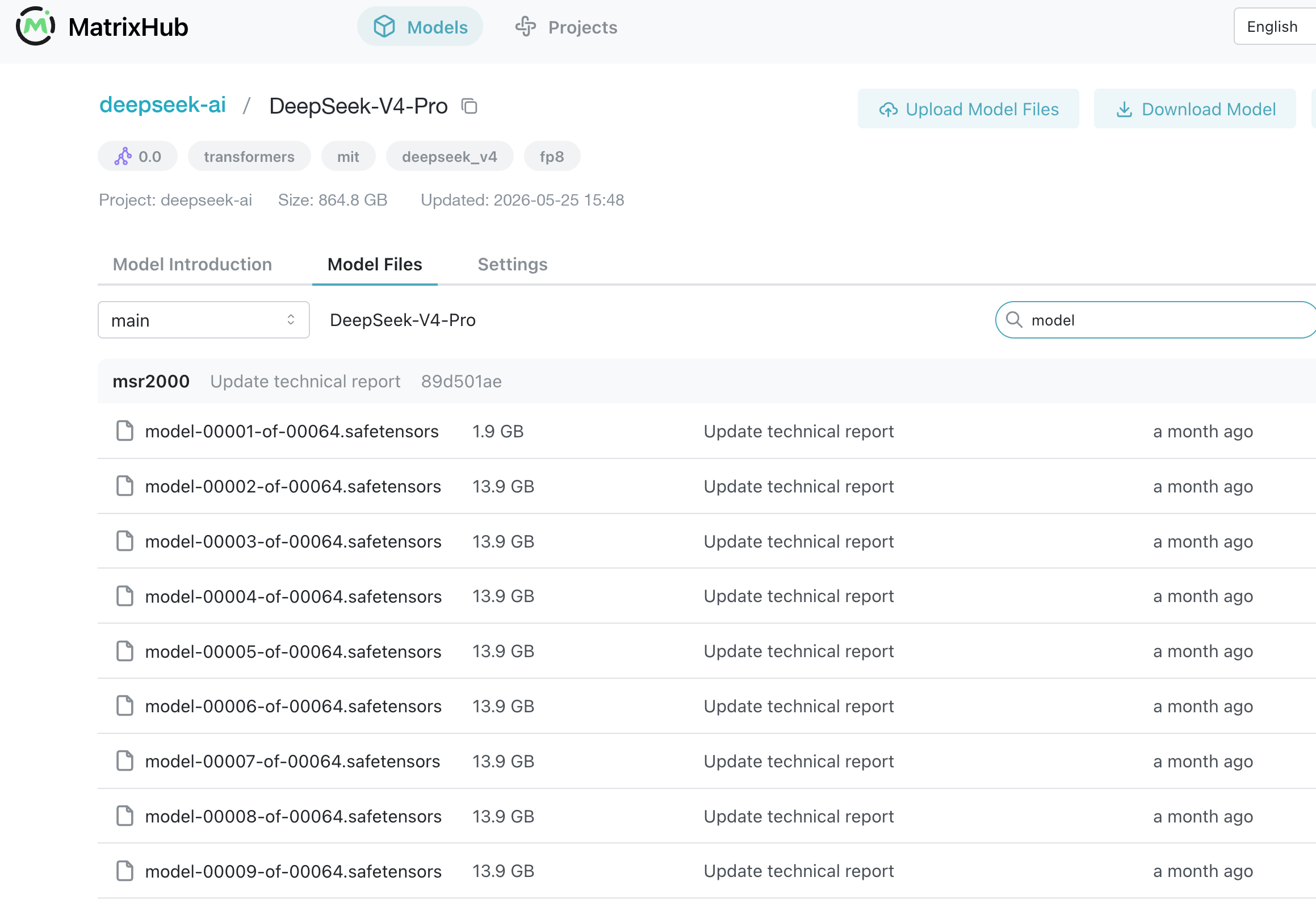
Open the model details page to inspect the cached files and verify that the artifacts are available for internal distribution.
Verify cache effectiveness
Use curl to observe request behavior.
First request: cache miss
curl -I http://127.0.0.1:3001/deepseek-ai/DeepSeek-V4-Pro/resolve/main/config.json
Characteristics:
- Longer response time
- Contains upstream headers
Second request: cache hit
curl -I http://127.0.0.1:3001/deepseek-ai/DeepSeek-V4-Pro/resolve/main/config.json
Characteristics:
- Very fast response
- No longer hits Hugging Face
Final thoughts
If you're deploying large models in an enterprise environment, you will inevitably face:
- Slow downloads
- Bandwidth exhaustion
- Repeated downloads across nodes
- Lack of access control
These are not edge cases. They are architectural gaps.
MatrixHub simply fills that missing layer.
If you're working on similar problems, feel free to connect: