Access Token
Access tokens are used for command-line authentication. After configuration, you can use the Hugging Face CLI to access authenticated model repositories in MatrixHub.
Prerequisites
- A valid MatrixHub account.
- Access to the model repository in the target private project, for example
my-matrixhub-project/test-mn. To upload models, the target project must be a non-proxy project, and your account must have Admin or Editor permissions on that project. - Hugging Face CLI installed locally, and
hf auth loginis available in your terminal. - The MatrixHub endpoint, for example
http://127.0.0.1:3001.
Steps
Create Access Token
-
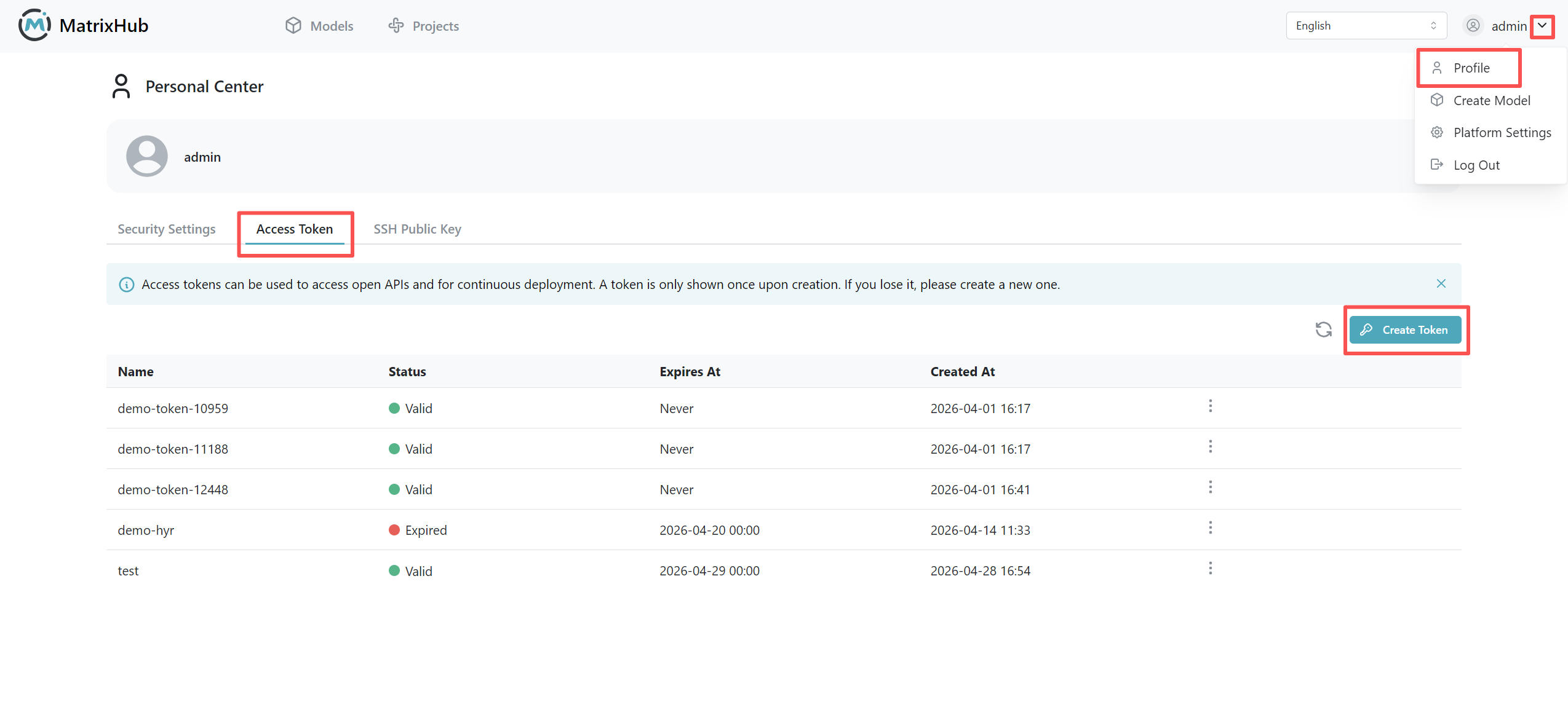
Log in to MatrixHub and go to Personal Center -> Access Token.
-
Click Create Access Token.
-
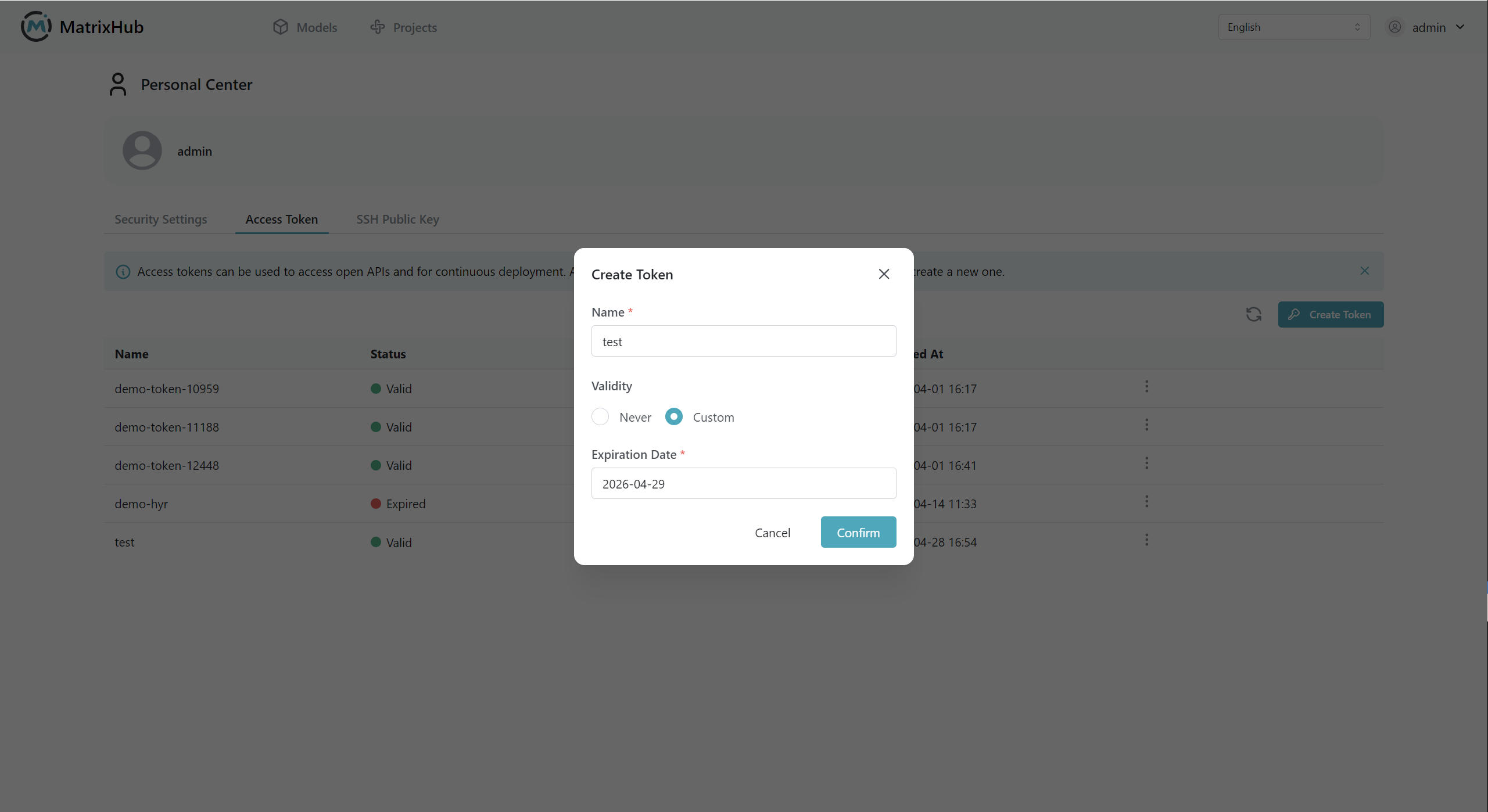
Enter a token name, select an expiration time, and click Confirm.
-
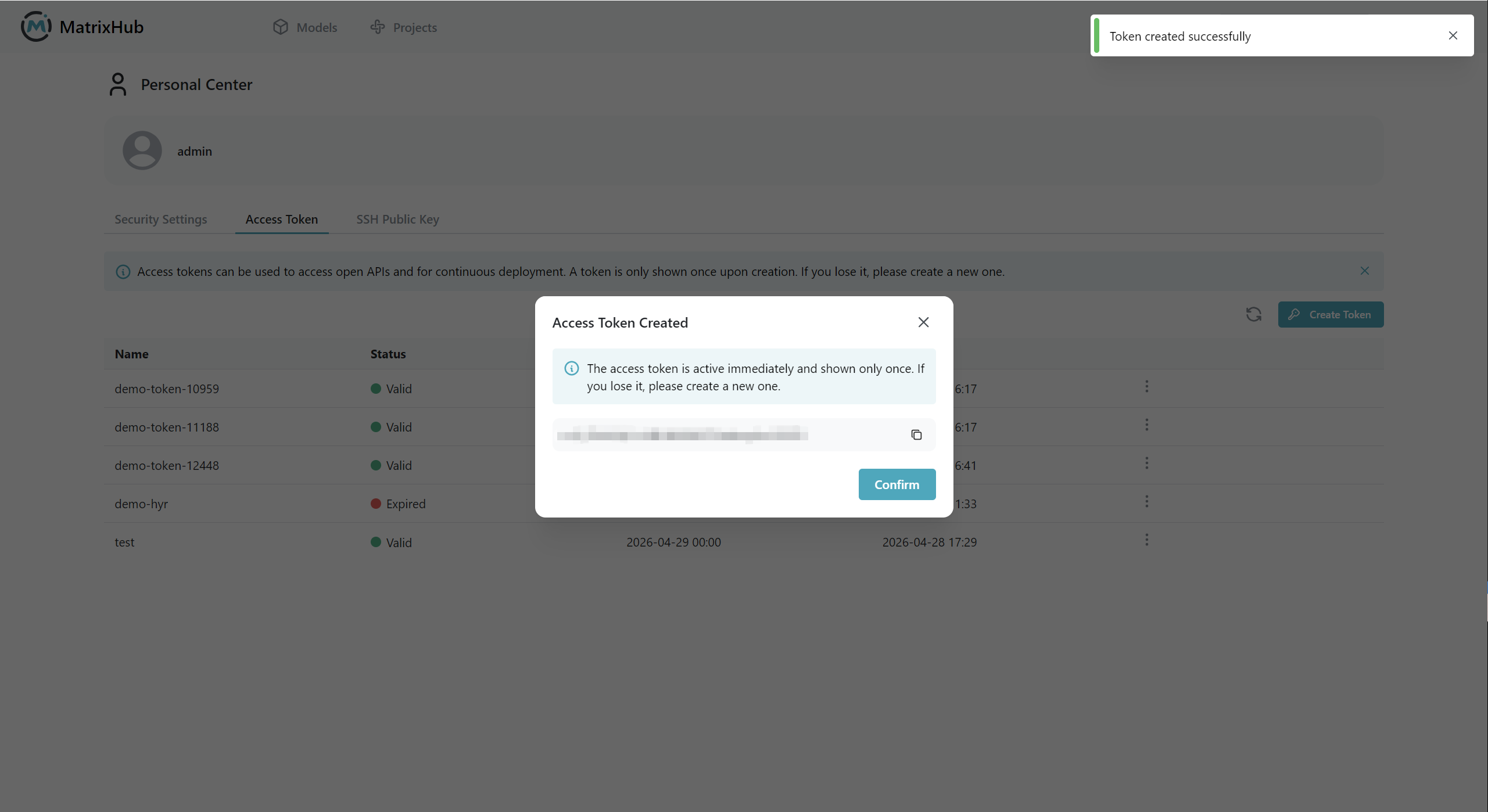
After the token is created, MatrixHub displays the token value. Copy and save it immediately. The full token value will not be shown again after you close the dialog.
Use Access Token
-
Configure the MatrixHub service endpoint in your local terminal:
export HF_ENDPOINT="http://<your-matrixhub-endpoint>" -
Run the login command:
hf auth login -
Paste the saved access token when prompted to complete authentication.
-
Run a download command to verify access to the target model repository:
hf download my-matrixhub-project/test-mn -
To download a model version from a specific tag, specify the tag name with
--revision:hf download my-matrixhub-project/test-mn --revision 0.0.1 -
To upload a model, create the model repository in the target private project first. The project must not be a proxy project.
hf upload my-matrixhub-project/test-mn ./<local-model-dir> .
Revoke Access Token
-
Go to Personal Center -> Access Token.
-
Find the token that you want to revoke and delete it.
-
After the token is revoked, CLI sessions authenticated with that token can no longer access resources that require authentication.
- Treat access tokens as account credentials. Do not commit them to source code repositories or share them with others.
- If a token is exposed, delete it immediately and create a new one.
Configuration Parameters
| Parameter | Description |
|---|---|
| Name | The display name of the token. Use a name that clearly indicates its purpose. |
| Expiration | The token validity period. It can be set to Never expires or a specific date. |
| Token Value | The secret string used for CLI authentication. It is displayed in full only once after creation. |