Model settings
Only members with admin or project admin permissions can edit the Model settings tab.
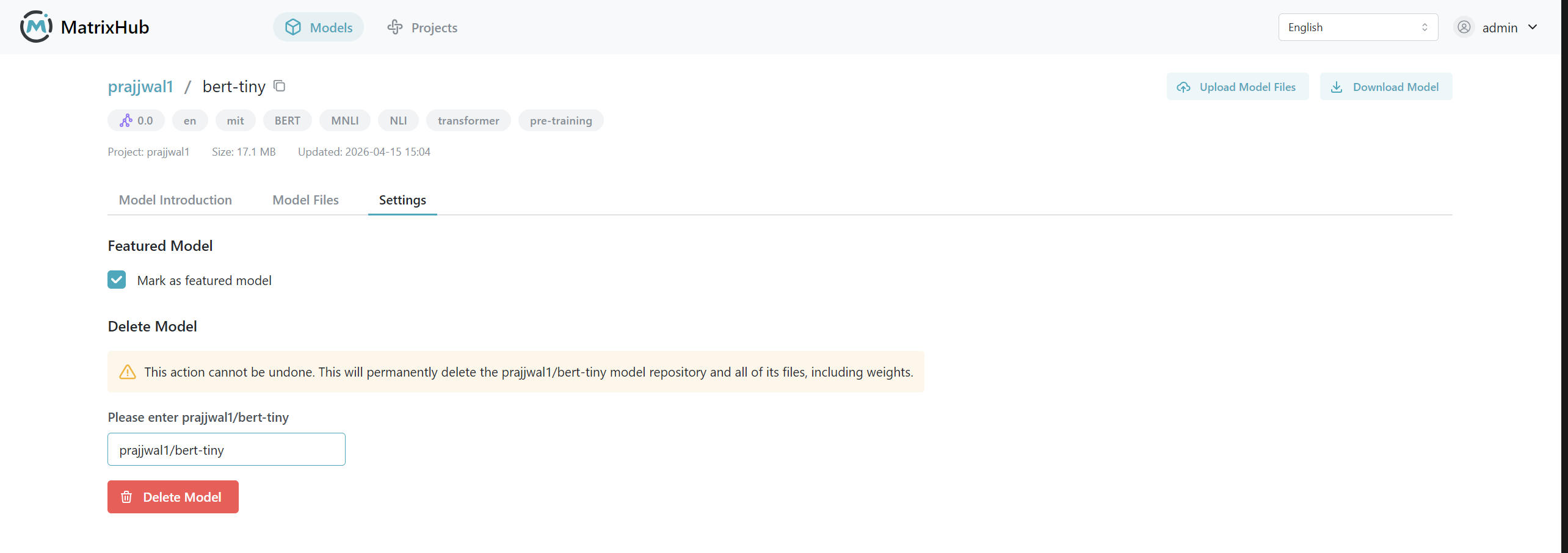
Set as featured model
-
Open the target model’s detail page and switch to Model settings .
-
Enable Set as featured model .
-
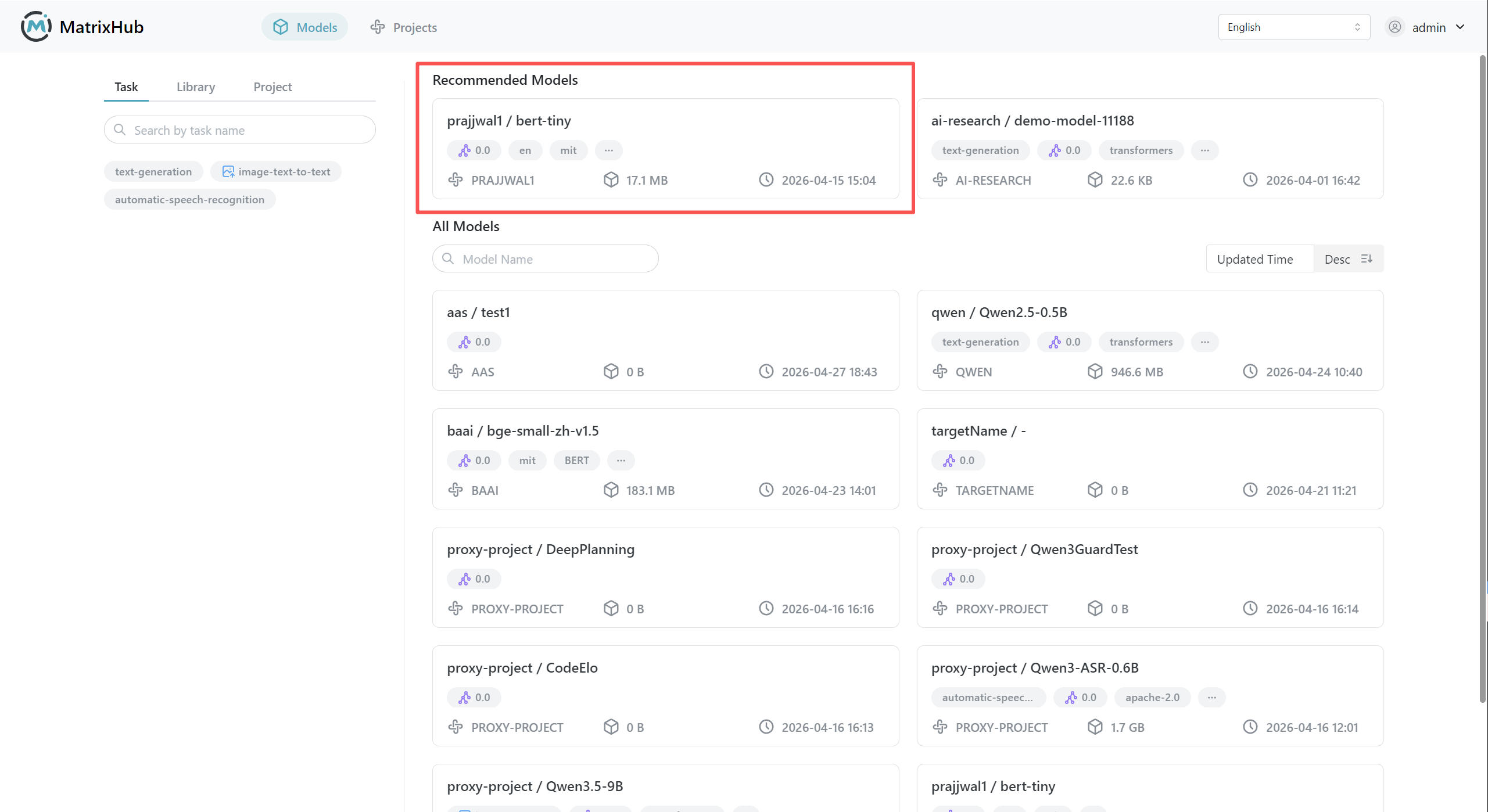
After saving, confirm the model appears under Model repository -> Featured models .
note
- When featured, platform users can see the model in the featured list.
Delete model
-
Open the target model’s detail page and switch to Model settings .
-
Enter the project name/model name in the field to delete the model.
warning
Deleting a model cannot be undone. Back up before proceeding.